
Prepare an RBI return
Generate the return from the book rather than from a spreadsheet somebody maintains, and see what it was built from.
Step 11 of 11 · Compliance
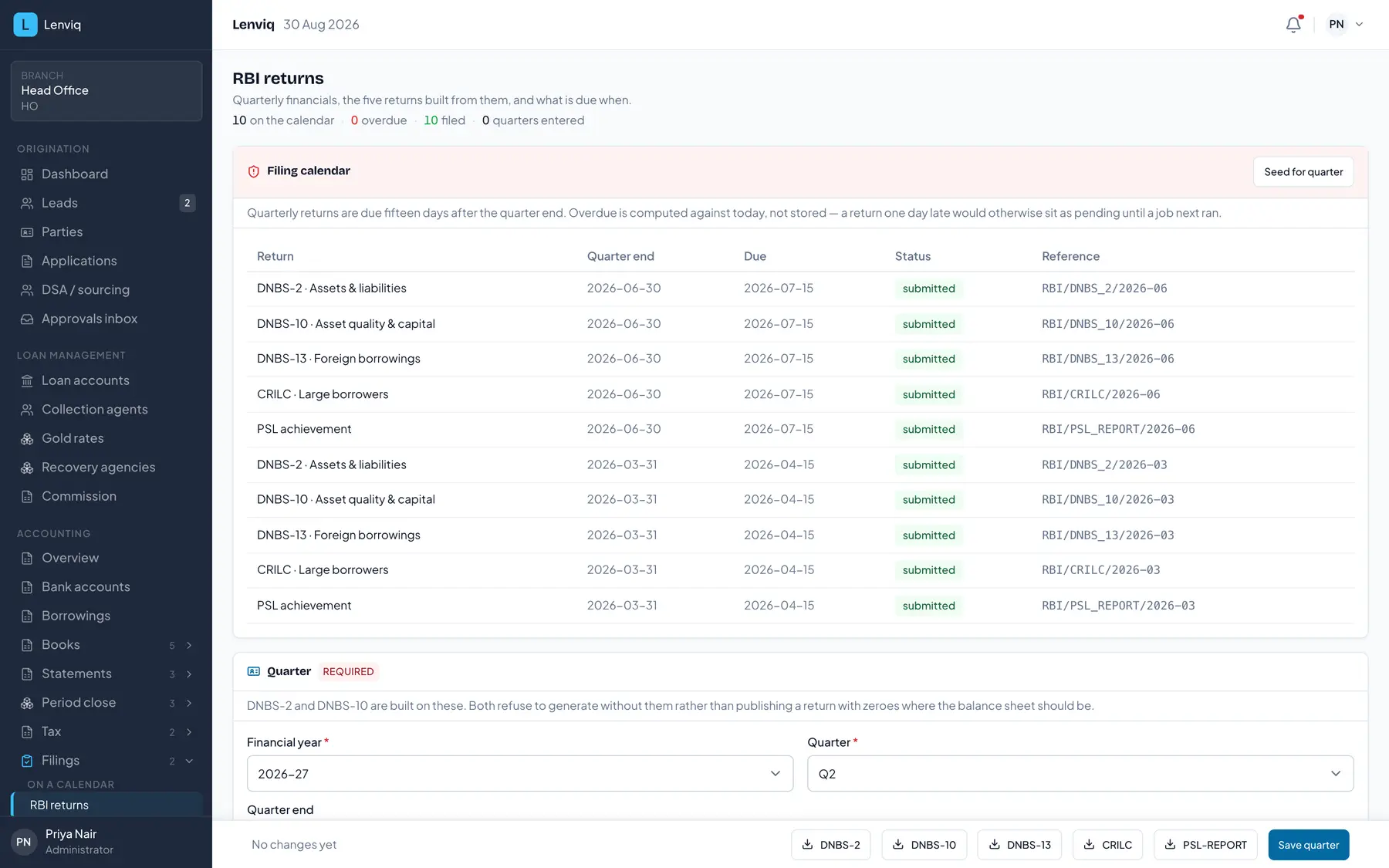
- 1The filing position in one line: on the calendar, overdue, filed.
- 2The calendar itself — five returns per quarter, with what is due when.
- 3Overdue is computed against today rather than stored, so a return one day late shows immediately.
- 4The status of each filing, with the reference it was submitted under.
Built from the book
A return is generated from the loan book as at the reporting date, not typed into a template. The figures come from the same materialised views the reports read — so the return, the report and the dashboard cannot disagree with each other about the same month.
What the screen shows you
The period it covers, when it is due, and what it was built from. A return that cannot be reconciled to the book is a return nobody can defend in an inspection, so the trail from the figure back to the accounts is part of the artefact rather than an exercise afterwards.
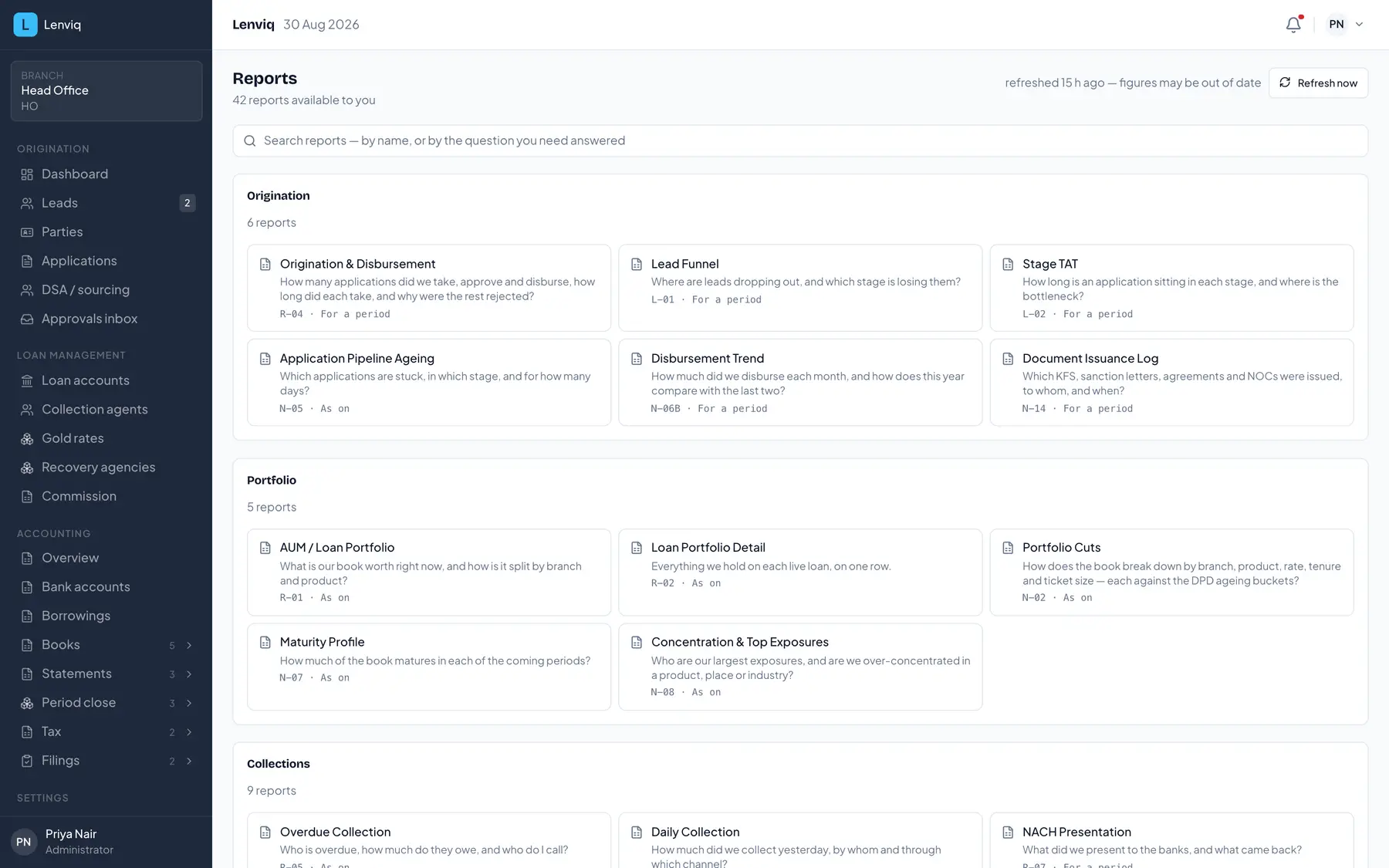
- 1How many reports your role and scope actually reach.
- 2Search by the QUESTION you need answered, not only by a report name.
- 3Grouped the way the work is: origination, portfolio, collections, NPA, financial.
- 4Each report's code, and whether it is a position as on a date or a flow over a period.
Freshness is stated
Reports read materialised views, so they are exactly as fresh as the last rebuild. Every screen that shows one says when it was last true — a number with no timestamp invites somebody to trust it as live.
The rules behind this screen are explained on the blog and the terms are defined in the glossary.
From the people who wrote this
Run your lending on Lenviq
Every screenshot on this page is the running product, taken from a demo tenant. A demo walks the same path with your own products and schemes in it.
Lenviq is loan origination, servicing and accounting for NBFCs, built by FastLegal Technologies.