
Complete a customer's KYC
Fill in what a doorstep capture could not, attach the identity documents, and get the record to a state a loan file can be opened on.
Step 4 of 11 · Credit / Operations
A customer created in the field arrives with a name, a mobile, an address and whatever the officer could ask standing at a gate. This is the screen where it becomes a KYC record.
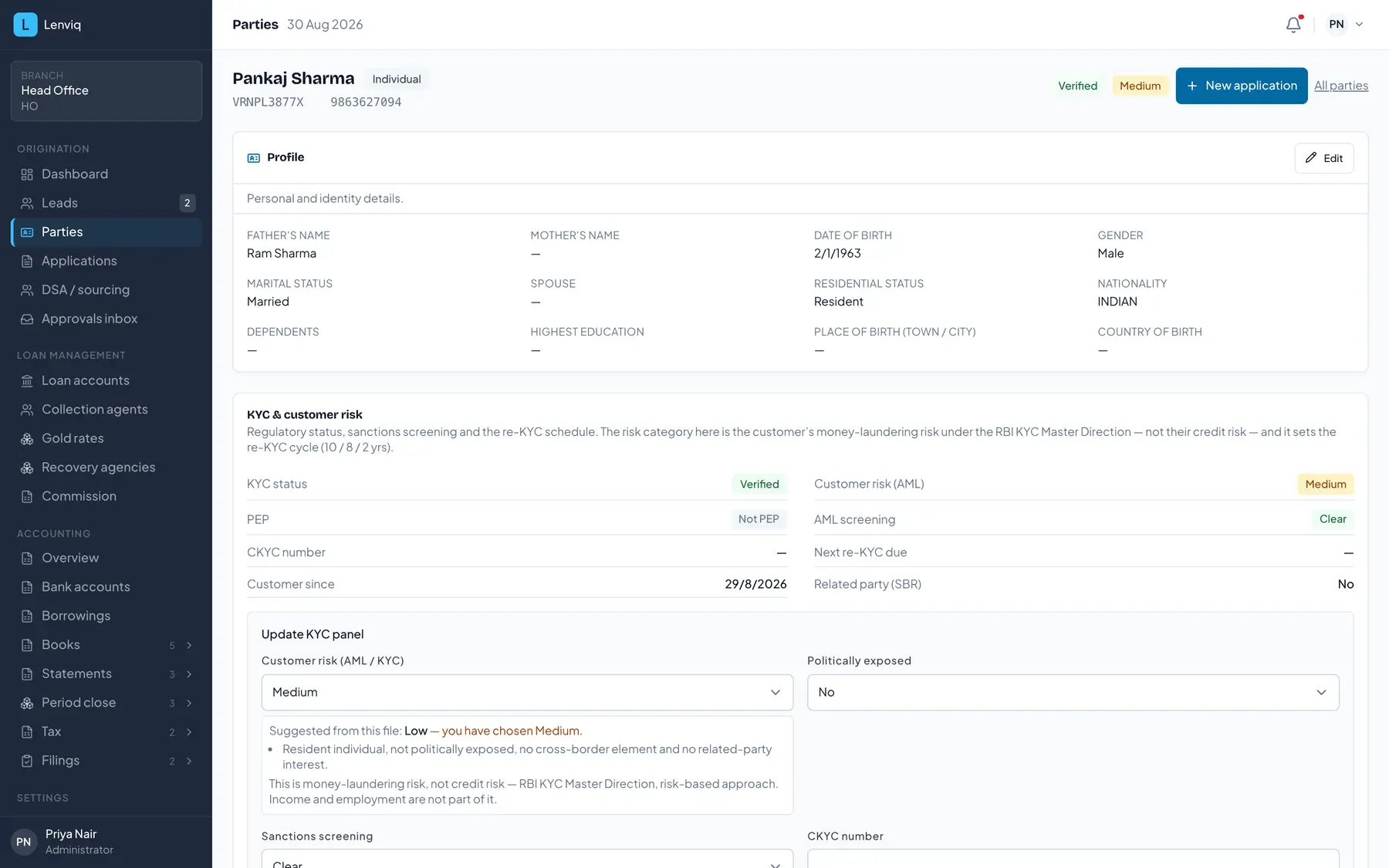
- 1The party record, and whether it is an individual or an entity. KYC lives here, not on the loan file.
- 2PAN and mobile. A second loan for this customer starts from what is already verified.
- 3Money-laundering risk under the KYC Master Direction — not credit risk. It sets the re-KYC cycle.
- 4KYC status. A loan file cannot be opened on a record that has not reached verified.
Fill in what is missing, one field at a time
You do not have to complete the record in one sitting. An edit is checked against what the record already was: filling one of several missing fields is progress and is saved, and only blanking a field that was already filled is refused.
Identity documents
Each document is its own row, with the number and the file. Two rules the screen applies for you:
- Aadhaar is masked. Type all twelve digits; only the last four are transmitted and stored.
- A PAN and a Form 60 are alternatives. A customer may hold one or the other, never both — Rule
114C gives Form 60 to a person who does not hold a PAN.
An issue date is not asked for on a PAN or an Aadhaar, because neither carries one worth recording; a passport and a driving licence still ask, because both print one.
Addresses
The pincode is entered first and fills the state, district and city. A present address and a permanent address are two rows — the bureau submission and the KYC file read them separately, and an OVD is checked against a specific one.
A previous address is kept rather than overwritten: an address history is what a verifier reads to judge how settled a borrower is.
The rules behind this screen are explained on the blog and the terms are defined in the glossary.
From the people who wrote this
Run your lending on Lenviq
Every screenshot on this page is the running product, taken from a demo tenant. A demo walks the same path with your own products and schemes in it.
Lenviq is loan origination, servicing and accounting for NBFCs, built by FastLegal Technologies.